bat is the new cat.
Recently started using bat as a drop in
replacement for cat. What bat has going for it is that it can do some really
nice syntax highlighting. I often find myself cruising around on the CLI and I
need to take a look inside a file. I would usually use less for this or use
vim if I wanted some syntax highlighting. Now I can just use bat and it’s
faster for my workflow. It even automatically pages with less so it is easy to
search and quit. Here is an example:
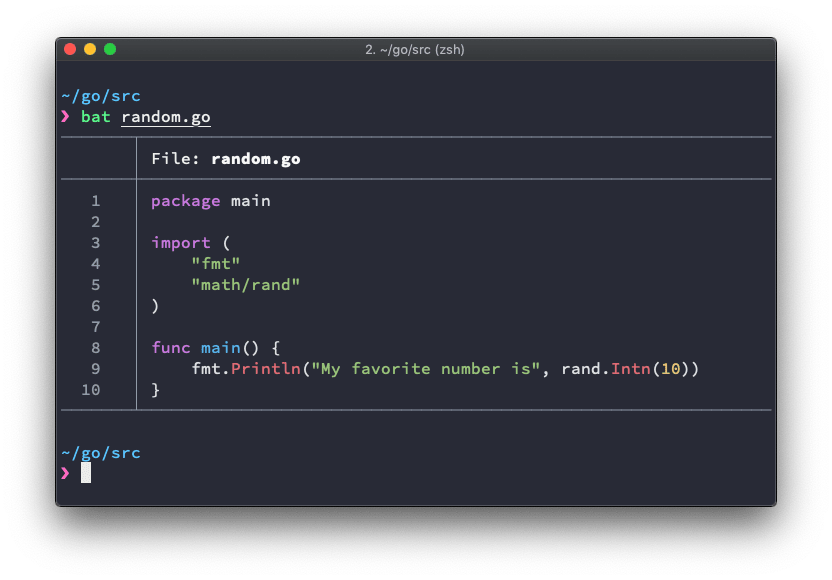
If that’s too fancy for you, you can use -p to just get the syntax
highlighting. See the project home page or
man bat for more details on what bat can do, like integration with git,
config file, etc.
You can of course pipe output to bat, but you need to tell it what the
language is so it can do the highlighting. EG:
kubectl get configmap istio -n istio-system -oyaml | bat -l yamlOf course, I’m always big on making things look good. You can use bat
--list-themes to list available themes along with a short preview of each. You
can set one by adding the BAT_THEME environment variable to your profile:
# bat configs.
export BAT_THEME="OneHalfDark"
That’s all. Really simple utility to help improve life on the CLI.